freight.observerTalk to the founder

FOR FREIGHT COMPANIES & FORWARDERS

Every overlooked cost
eats your margin.

Uncover the costs you weren’t given. Reduce expensive mistakes. Put your company’s accumulated knowledge behind every calculation.

See how it worksCost visibility. Company knowledge. More control.
YOUR DATA, WORKING TOGETHER

More context.
Fewer blind spots.

  • Emails
  • Carrier rate lists
  • All-in quotes
  • Fuel & costs
  • Routes
  • Shipment history
Unlisted costs, uncovered
Reverse calculation reconstructs costs the carrier did not itemize.
Carrier reliability, in context
RiskRate draws on your company’s own carrier history.
Your experience, reused
Lane and carrier memory keep learning as new data comes in.

LESS MANUAL WORK. MORE CAPACITY.

MANUAL QUOTE PREPARATIONSURVEY-REPORTED AVERAGE
26min

Average quote preparation time reported by surveyed companies and our customers before adopting freight.observer.

Look up the rate, account for charges and apply the margin. Repeat when the offer changes.

WITH FREIGHT.OBSERVERPRICING CORE
<1sec

to calculate with prepared data

Base rateFuel & tollsMarginCalculated

Internal testing.
5,000 runs of the product’s pricing core.

Manual preparation time is based on company and customer survey responses. Under one second is the internally tested pricing-core time with prepared data, excluding the rest of the quoting workflow.

How was calculation speed tested?

5,000 calculations in internal testing. We tested the pricing core with prepared inputs: transport costs, surcharges, local charges and margin. The calculation completed in under one second.

The timer covers the calculation itself. Preparing data from emails and files, AI extraction, route lookup, database access and network requests are outside this measurement. The time for a complete quote depends on the data and connected services.

01 / WHAT GOES IN. WHAT YOU GET BACK.

Your daily inputs.
A much shorter workflow.

Explore the data your team works with every day. See how the system processes it and puts it to work in the next calculation.

01

You receive

Customer quote requests and carrier replies already arriving in your inbox.

RouteOrigin & destination
CargoWeight, volume & equipment
TimingPickup & delivery details
02

We do the groundwork

  1. Extract route, cargo and pickup details from the message.
  2. Bring carrier options and reliability evidence into the quote.
  3. Calculate the offer and prepare a reply for review.
03

Your team gets

A quote and a reply, ready for review.

Your employee gets the calculation, carrier context and a prepared response in one workflow.

Review the offer and reply sooner, with less copying between the inbox and a spreadsheet.

From a customer’s request to a prepared answer — with less manual calculation in between.

NEW DATA KEEPS THE WORKFLOW MOVING

02 / QUOTE REVERSE CALCULATION

The carrier gives a total.
We uncover the breakdown.

No itemized costs? freight.observer uses route and cost data to calculate components the carrier did not specify, then works backwards from the all-in to reconstruct the price.

AUTOMATIC BASEPOINT

The system also calculates carrier BasePoint automatically, removing another repeated calculation from your team’s workflow.

01

Start with the all-inThe carrier’s total is available. Individual cost amounts are not itemized.

02
Calculate what’s missing

Use the route and available cost data to recover unlisted components — such as tolls calculated for the journey.

  • Route data
  • Cost data
  • Quote context
03

Work backwardsUse the recovered components and their inclusion in the quote to reconstruct the all-in price.

04

See the underlying costsReview the carrier base and cost components behind the total — ready for comparison and the next calculation.

Calculated estimates remain identifiable. Components that cannot yet be resolved are flagged for review.

03 / CONTINUOUS LEARNING WITHIN YOUR COMPANY

New data comes in.
Your next quote gets smarter.

Your historical data is the starting point. As new emails, rates, costs and results enter your workflow, freight.observer keeps processing them, updating your company’s knowledge and using it in subsequent calculations and carrier recommendations.

01 / KEEP TAKING IN DATA

Your daily work
keeps feeding the system.

  • Customer emails & carrier replies
  • New rate lists & fuel costs
  • Carrier choices & replacements
  • Quote & shipment outcomes

New information continues entering the workflow as your team imports, reviews and records it.

02 / UPDATE COMPANY KNOWLEDGE

Connect each piece
to the right context.

  • Carrier & lane
  • Route & equipment
  • Rate & cost components
  • Response & execution history

The system retains the context, tracks the evidence and updates the memory used for future work.

03 / USE IT IN THE NEXT QUOTE

Calculate sooner.
Choose with more context.

CalculationReusable rates, costs & shipment details
Carrier selectionLane fit, RiskRate & recorded outcomes

Your employee starts with accumulated company knowledge instead of reconstructing it from old emails and spreadsheets.

And the cycle continues. The next carrier reply, team decision or recorded shipment result feeds back into your company’s knowledge for the work that follows.

WHAT YOUR TEAM CAN REUSE

More than a carrier score.

Specific evidence for the route, the carrier and the decision in front of your employee.

LANE-SPECIFIC MEMORY

Who fits this particular lane?

Previous carrier selections and replacements are remembered by origin, destination and equipment. The next recommendation can use your team’s experience on that lane.

Less rebuilding a carrier shortlist.
CARRIER–LANE EXPERIENCE

Has this carrier worked here before?

Carrier memory tracks evidence for the lane and corridor, including how much history exists and when it was last seen. Employees can distinguish established experience from a weak match.

Faster checks of route suitability.
RISKRATE

Can we rely on this carrier?

Delays, cancellations and actual versus planned transit times turn your company’s own historical data into concentrated knowledge of carrier reliability.

Reliability context while comparing offers.
CARRIER RESPONSE MEMORY

Who is likely to respond?

Accepted, declined and unanswered requests build a history of carrier behaviour. Response and acceptance signals are used when ranking carrier options.

Less time chasing unsuitable options.
EXECUTION OUTCOMES

What happened after the quote?

Recorded deliveries, cancellations and execution failures feed carrier outcome memory. Future recommendations can account for what actually happened.

Past performance stays with the team.
COMMERCIAL OUTCOMES

What did the business win?

Won and lost quotes and realized margin become part of your company’s outcome history, alongside the carrier and lane context.

Keep commercial results connected to decisions.
RATE & COST HISTORY

Why look up the same inputs again?

Newly processed offers and shipment records add to rate history. Reviewed carrier rates and supplied cost data remain available for subsequent calculations.

Less repeated searching and copying.
EVIDENCE & FRESHNESS

How much can we trust this context?

Evidence counts, freshness and ranking reasons show the basis of a recommendation. Sparse or stale lane memory is flagged for review.

Faster review, with uncertainty visible.
YOUR COMPANY’S OWN LEARNING CYCLE

The system learns from the information and outcomes recorded within the company using it. As that history grows, your team has more reusable context for faster calculations and better-informed carrier choices.

04 / BUILT FOR THE WHOLE TEAM

The calculation is connected.
So is your business.

Keep customer work in your CRM and give each employee the access their role needs.

LOGISTICS CRM

From the first request
to the closed deal.

Keep clients, contacts, deals and linked quotes together. Track the opportunity through your sales pipeline with the conversation and next steps in context.

  • Client records & contact details
  • Deals, stages & linked quotations
  • Notes, calls, tasks & follow-ups
  • Activity timeline & deal history
CONFIGURABLE ROLES & PERMISSIONS

Your team.
Your access rules.

Create and configure roles for your company. Change their permissions and choose the sections and data categories each role can see.

Roles
Configure roles around your team’s responsibilities.
Actions
Control which operations each role is allowed to perform.
Visibility
Choose the sections and categories available to each role.

PLANNED EXPANSION

Next stop.
AIR & OCEAN.

Air and ocean freight are planned additions to freight.observer’s calculation workflow.

AIRPlanned

Air freight.

The calculation workflow, extended to the skies.

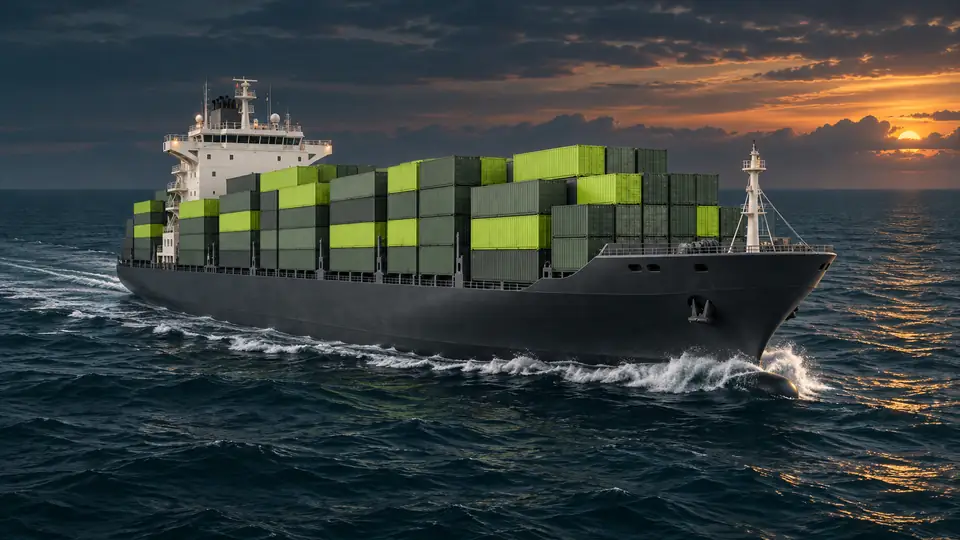
OCEANPlanned

Ocean freight.

The calculation workflow, extended to the seas.

FASTER CALCULATIONS. MORE OPPORTUNITIES TO WIN.

Get the quote out.
Keep your team moving.

Less manual arithmetic. Fewer avoidable errors.
More accurate offers, sooner — and a stronger WinRate.

founder@freight.observer